Internet speed test
Ping, jitter, download and upload — and a plain answer to whether it’s fast enough for 4K, video calls or gaming. History with a trend chart.
WiFiWise tests your speed, watches your signal, finds the least crowded channel and shows who’s on your network — and tells you plainly when something can’t be measured, instead of making up a number.
From “why is my internet slow?” to “let my guests join” — WiFiWise covers the everyday jobs with real measurements and plain-language answers.
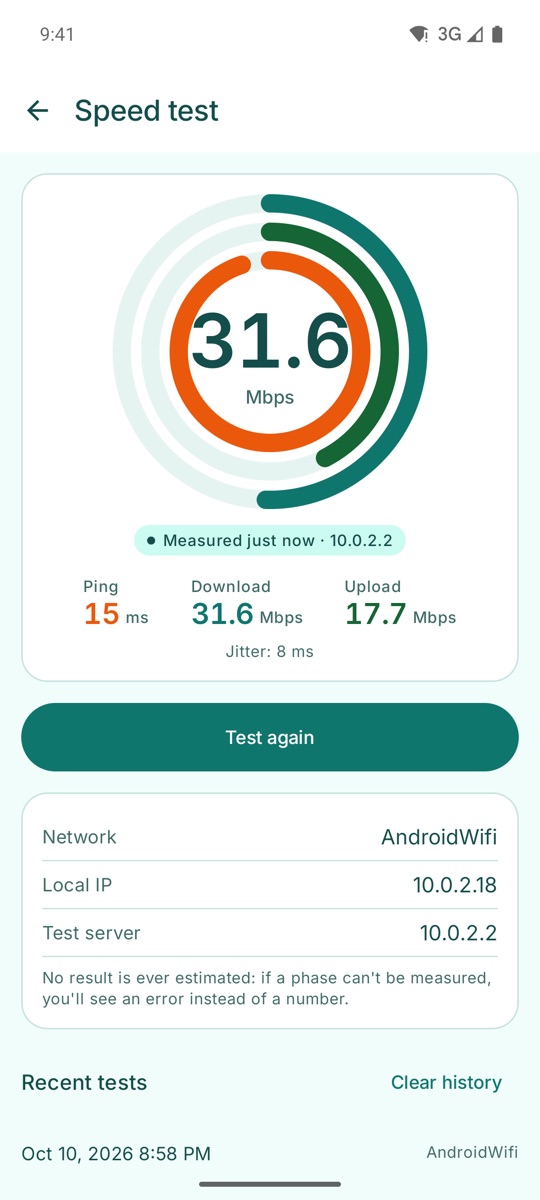
Ping, jitter, download and upload — and a plain answer to whether it’s fast enough for 4K, video calls or gaming. History with a trend chart.
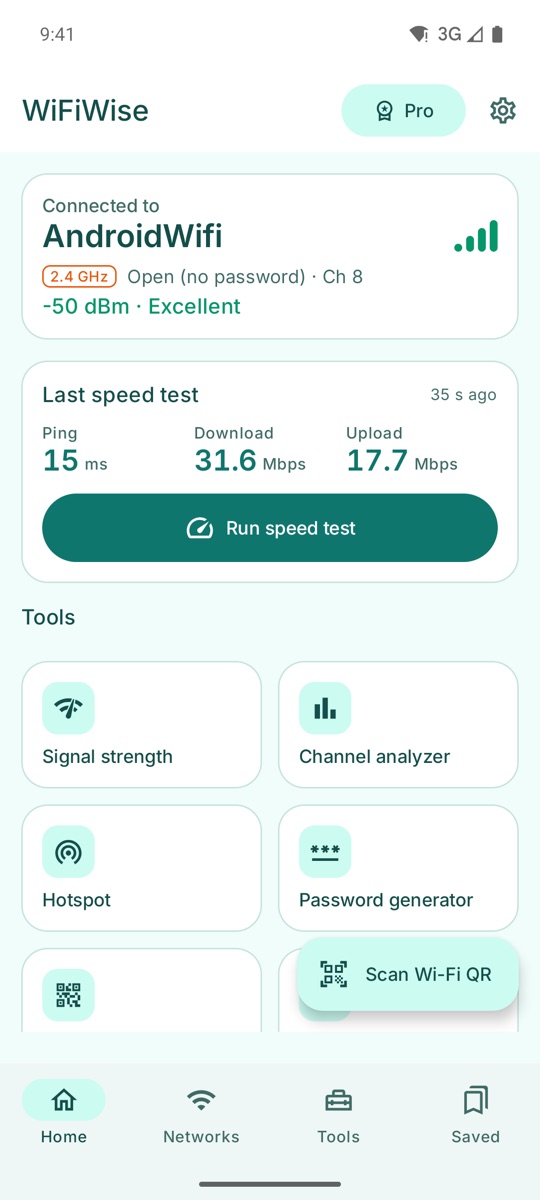
Internet, encryption, signal, channel crowding and your last speed test on one screen — each marked OK, check or problem, with one next step.
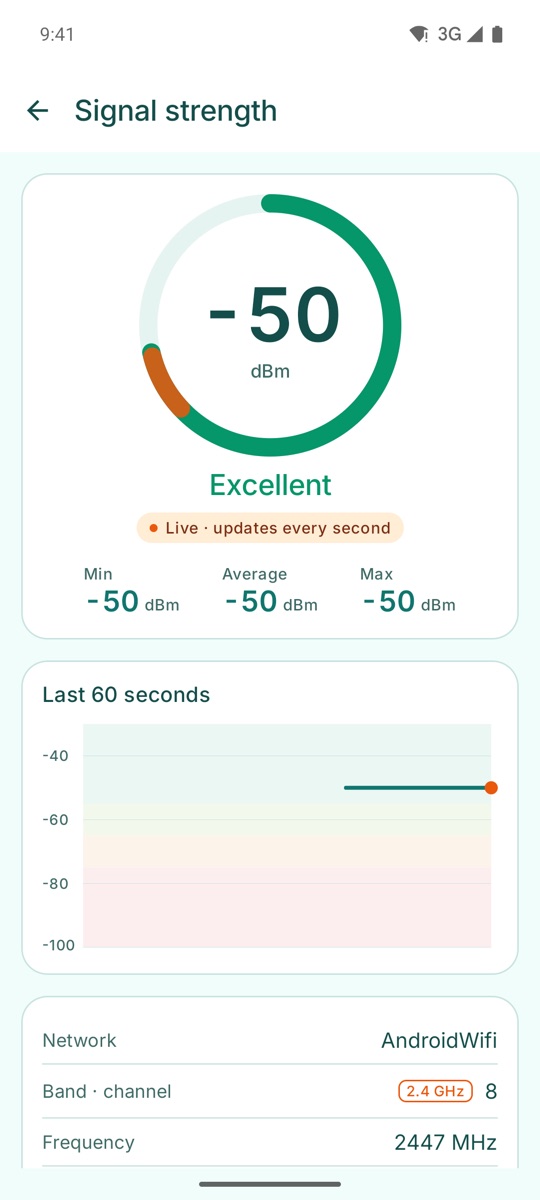
Second-by-second signal with a 60-second chart and min / average / max. Walk around to find the best spot.
See which networks share your channel on 2.4, 5 and 6 GHz, which channels are least crowded, and a tip for your router.
Your current network is filled in for you. Guests scan with their camera to join — save or share the image.
Join a network from a QR code with the camera, or pick a photo from your gallery.
Signal, band, channel and security for every network around you, with filters and the router maker when it can be identified.
Find devices answering on your network, give them names you’ll recognise, and get an alert when a new one joins.
Keep Wi-Fi names and passwords on your phone, encrypted with the Android Keystore.
See where you are and pin the networks you use. Only pins you add appear — no guessed hotspots.
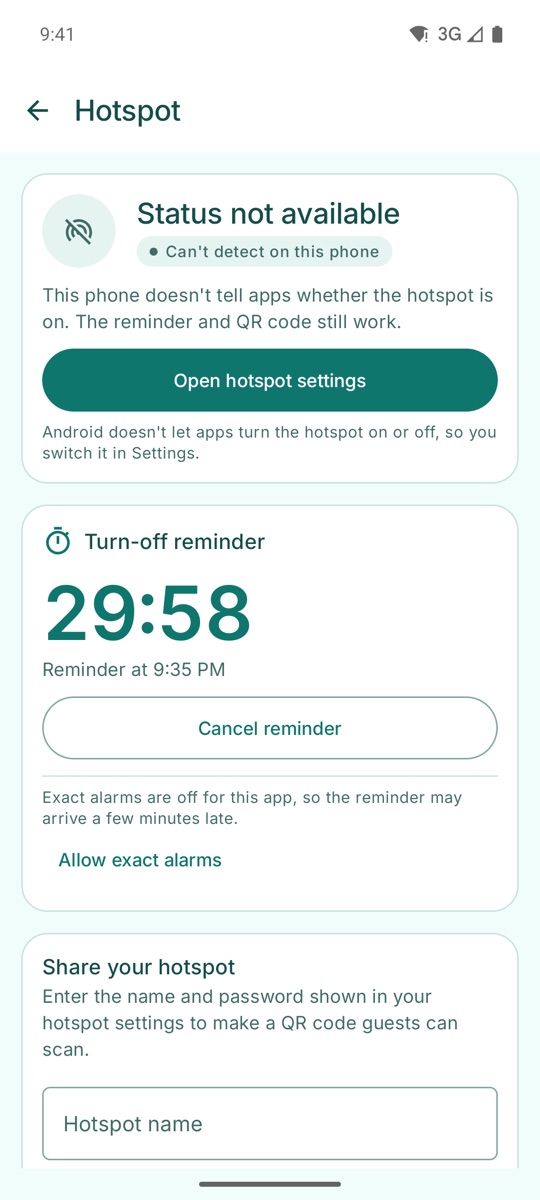
A QR code for your phone’s hotspot and a reminder to turn it off before it drains your data.
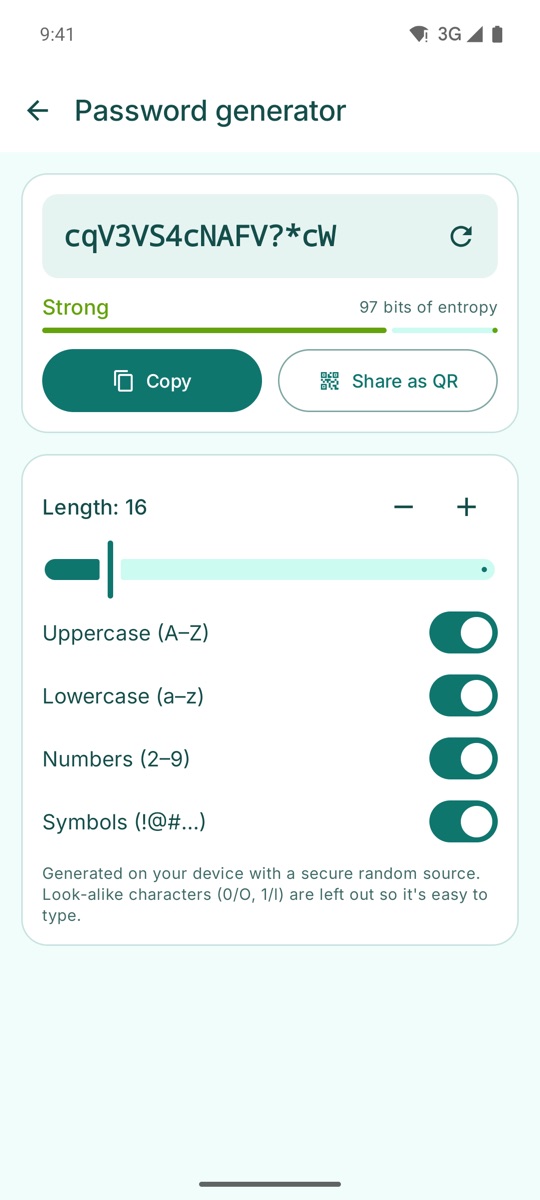
Strong Wi-Fi passwords without look-alike characters, so they’re easy to type on a TV or console.
Run a full test in seconds against a real test server. WiFiWise tells you what the result is good for — not just a number you have to interpret.
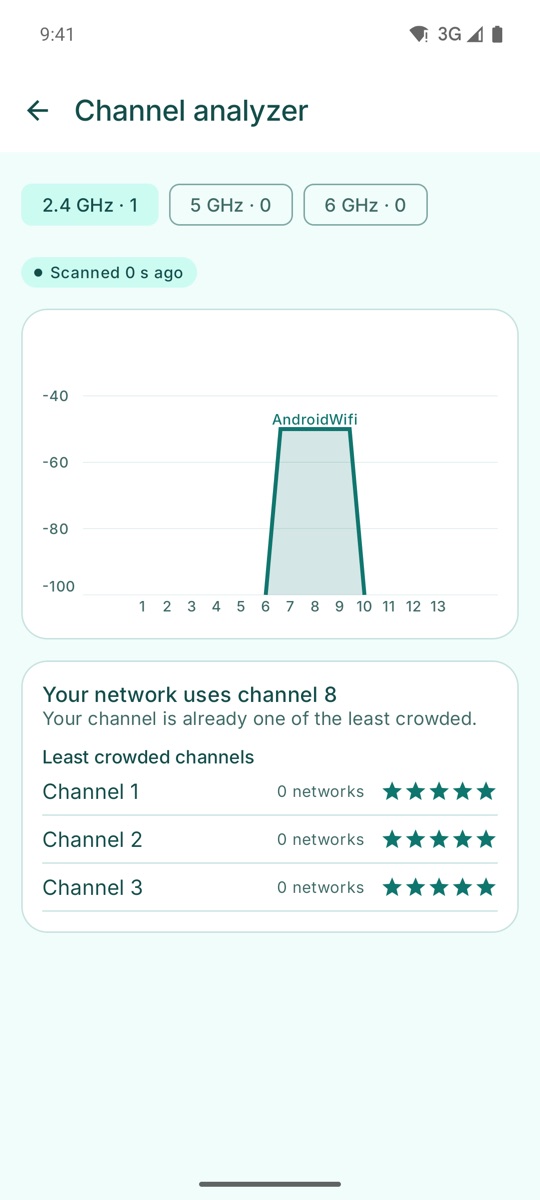
Neighbouring networks on the same channel slow you down. See who you share the air with and which channel to pick in your router.
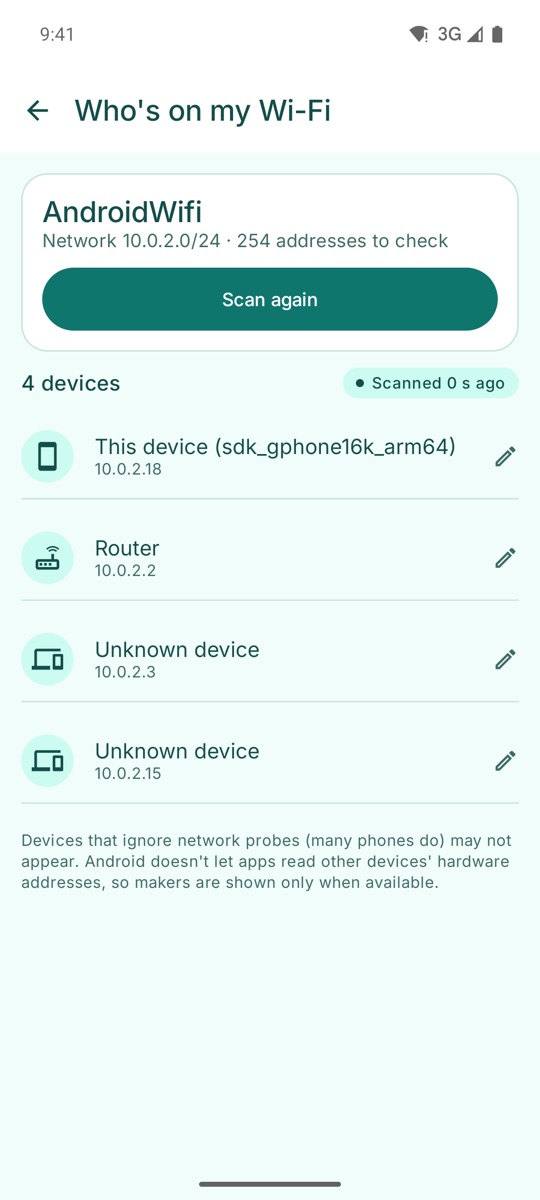
A network scanner that finds devices answering on your own network. Name the ones you know and spot the ones you don’t.
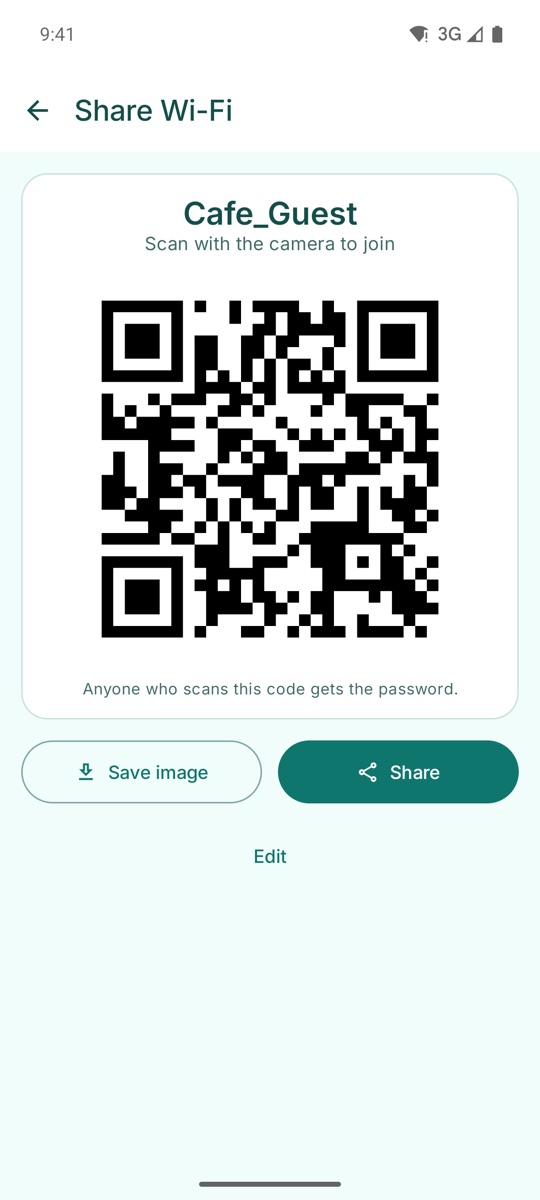
No more spelling out long passwords. Show a QR code, and visitors join from their camera app.
Many Wi-Fi apps fill gaps with guesses. WiFiWise doesn’t.
If a phase of the speed test fails, you see an error — not a made-up result.
Values Android doesn’t share with apps are shown as “—” or explained, never invented.
Device lists and hotspot status are marked as estimates where the platform limits what apps can see.
WiFiWise has no accounts and never uploads your network names, passwords, map pins or test history. Ads and anonymous statistics are explained in plain words — and you can switch them off.
Read the privacy policyA few clearly marked ads keep WiFiWise free — nothing is locked.
Free, with a few ads
One-time purchase or subscription, via Google Play
No. WiFiWise is a tool for your own Wi-Fi. It can’t connect to a protected network without its password, and it never tries to obtain passwords for networks you aren’t allowed to use. See the Terms of Use.
Android requires location (or “Nearby Wi-Fi devices” on Android 13+) before any app can list Wi-Fi networks or show your network name. It’s also used to show where you are on the Wi-Fi map. Your location isn’t stored or sent, except for map pins you create, which stay on your phone.
Yes. Every feature works in the free version, supported by a few clearly marked ads. WiFiWise Pro removes the ads and is available as a one-time purchase or a subscription through Google Play.
No. Saved passwords are kept on your phone and encrypted with the Android Keystore. Network names, passwords, map pins and speed test history are never sent to our servers.
Some details depend on your phone, Android version and router, and Android doesn’t share all of them with apps. Rather than guess, WiFiWise shows “—” or explains why the value isn’t available.
English, Español, Português (Brasil), Tiếng Việt, Bahasa Indonesia, हिन्दी, Français, Deutsch, Русский, Türkçe, العربية, ไทย, 日本語 and 한국어. You can change the language any time in Settings.

Free on Google Play. No account, no sign-up — install and run your first speed test in seconds.